11 May 2010

First Impressions Of Ubuntu 10.04

With the arrival of Ubuntu 10.04 LTS this is the most important Ubuntu release in years. LTS releases only come once every 2 years so a release like this can either make or break Ubuntu's reputation amongst users. I have decided to do a fresh install of Ubuntu in order to eliminate all problems that result from doing an upgrade, and to properly assess the Ubuntu experience.

For existing Ubuntu users the first thing you will notice when booting off the Ubuntu CD is that the live environment is started straight away. The existing CD menu is now hidden which means you will have to press a key before the CD loads into the live environment. There should be a text message that is displayed informing users that they can show additional options for the CD before it loads.

Once the live environment is loaded I found that the installer wouldn't startup (saw an error message). However when I manually started up the installer it worked fine. No major changes were made to the installer compared to previous versions of Ubuntu. Installation of the OS was quick and easy. With the first startup of Ubuntu 10.04 an error message appeared (on a black screen) which isn't a good look. Although it was not a critical error it shouldn't have been displayed at all. Canonical have had ample time to fix the issue since Ubuntu 8.04.

Last time I had done a fresh install of Ubuntu I had to battle with getting the display setup properly, which meant manually creating a configuration file, and playing Russian roulette with obtaining a working display. No user should ever have to endure this, luckily with 10.04 the display was properly setup which meant no more display headaches. Also for the first time with Ubuntu the highest resolution was selected which is a big plus, and there was no need to edit/create a configuration file. An additional bonus was the fact that desktop effects worked properly for the first time after I had installed the Nvidia driver.

Setting up wireless networking and the printer was a breeze, which meant I could start printing some documents straight away. As for sound there are still some serious performance issues which should have been addressed after the release of Ubuntu 9.10. The last Ubuntu LTS release (8.04) didn't have these issues at all despite using the Pulse Audio system for sound. Canonical will need to address the sound basics urgently if it wishes to get musicians/sound professionals on board.

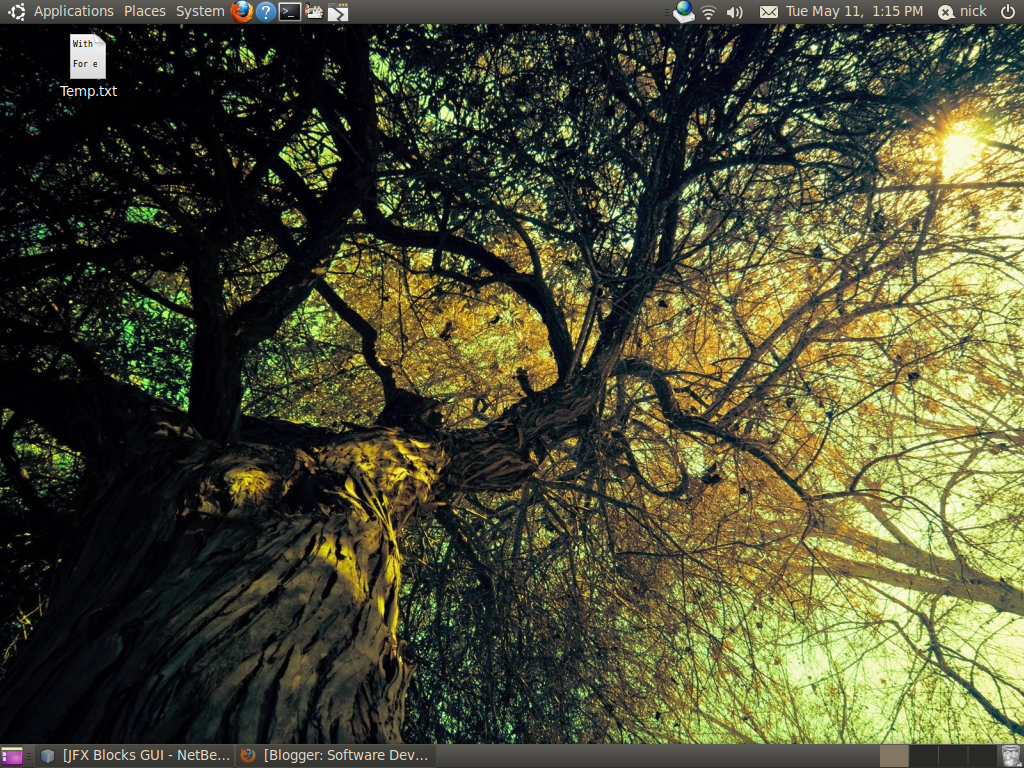
Performance has been greatly improved with very quick startup and shutdown times. On the downside with my PC I experienced slow logins which appeared to be frozen for a moment even though they weren't. A new look 'n feel has been used which makes it easier to see what windows/applications are selected, easier to read text, and more visually appealing. However the window buttons have been moved to left hand side which is a very bad design decision considering existing users, which are used to seeing the buttons on the right.

For some reason the keyboard shortcuts are no longer displayed which is another very bad design decision. Once again Canonical are not considering their existing users. Remember it is much cheaper to retain existing users rather than attract new ones. As for applications Gimp has been replaced with Open Office Draw and a basic video editor has been added (called Pitivi). What is missing now is a basic backup application.

The Ubuntu Software Centre has been enhanced with the ability to see software provided by Ubuntu, or from Canonical's partners. Some software categories now have sub categories and installation of software is more accessible. Social networking features have been integrated into Ubuntu which is a first for an OS. Although social networking is not of particular interest to me other users will greatly benefit from have social networking done in a single place.

Overall Canonical have done a reasonably good job with the current Ubuntu release but clearly have a bit of work to do with sound and login performance, startup presentation, and the look 'n feel. It is quite clear that this a benchmark Ubuntu release which will really attract new users, however existing users are being left a bit neglected by Canonical.

03 May 2010

JavaFX Support In Eclipse


Exadel are developing the JavaFX plugin for Eclipse which covers JavaFX 1.2 but not 1.3. Previously Sun were developing the plugin which covered JavaFX 1.2, however they had limited resources at the time which meant the community had to pitch in. For this post I will be covering version 1.2.4 of the Exadel JavaFX plugin.

Installation of the plugin proved to be very difficult due to navigating a confusing website in order to obtain the right one. The first one I had downloaded refused to install in Eclipse (no proper explanation given), it wasn't until I had used the other version that I finally had a successful install. An additional concern is that the installation/uninstallation of the plugin is very slow. After the installation no default JavaFX SDK had been picked up which is a bit of a minor annoyance.

With the JavaFX preferences there are some options for source code formatting and the editor. At the moment it is not possible to debug a JavaFX project due to the missing toggle breakpoint feature. No automatic formatting option is available for JavaFX source files. Code completion is extremely limited at the moment. Only JavaFX keywords and script level variables/constants/functions (defined by the developer) will be picked up in the editor. Move and rename refactorings do not work properly for classes and packages. Strangely there is no delete refactoring option available.

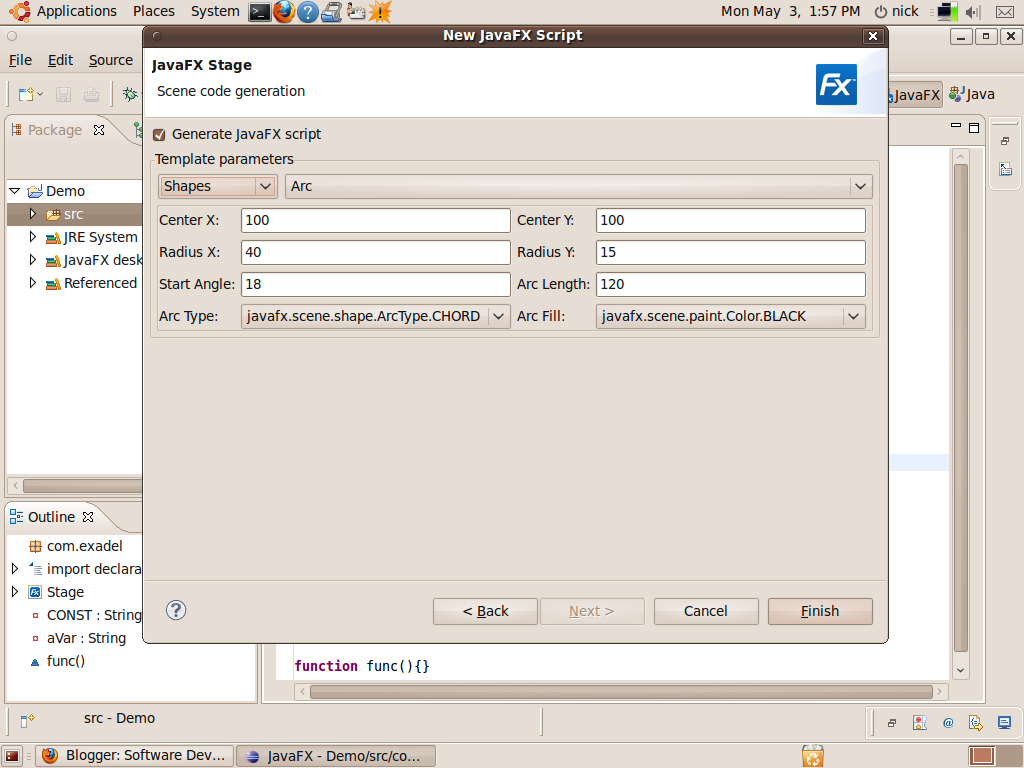
Full syntax highlighting is provided. Errors in a JavaFX source file will only be picked up once the file is saved. This can really slow you down which highlights the need for real time error checking as you type. Plenty of JavaFX snippets are available for use in a JavaFX source file. Even better is the fact that you can easily add your own. When you create a new JavaFX source file you have the option to generate some JavaFX Script from some templates (CustomNode, Stage, Shapes, Scene), which is a nice touch when you need something created quickly (eg a panel for a screen).

Overall Exadel have much work to do in order to bring the plugin up to scratch on the basics. Proper code completion is needed as well as breakpoint support for debugging. Also installation of the JavaFX plugin needs to be easier and much quicker to install/uninstall. If possible Exadel needs to implement real time error checking for JavaFX source files.

Update: Exadel have released version 1.3 of the plugin which supports JavaFX 1.3. For an easy way to install/update the JavaFX plugin add the stable plugin site in Available Software Sites (inside the Preferences window).

26 April 2010

JavaFX 1.3 Tooling

Many people are bound to cover what is new with JavaFX 1.3. Instead of covering the same thing I will cover the tooling for JavaFX 1.3. NB 6.9 Beta and JavaFX Composer for NB 6.9 Beta will be covered in this blog post. Currently in terms of cross platform tooling for JavaFX there is Inkscape (for creating images in FXD/FXZ format), NB (main JavaFX IDE), and JavaFX Composer (JavaFX GUI Builder in NB). As for the JavaFX Authoring tool it is currently in Alpha, though it will soon be at the Beta stage.

Most of the changes for the NB JavaFX editor is with hints and formatting. Previously the only hints available were restricted to “Implement Abstract Functions” and “Fix Imports”. However hints have been extended to include “Add Class XX” and “Add Function XX”. It is strange to see no options for setting up hints for JavaFX despite additional hints becoming available. You can now see all tasks for JavaFX in the Tasks window (eg TODOs). Additional items are available in the Palette, which cover some of the new items in JavaFX 1.3 (including the controls). Of note is the quicker build performance when doing a build/run of a JavaFX project.

Formatting of JavaFX Script code still requires a bit of work before NB 6.9 is released. For instance I found that the formatting of string literals would cause a huge number of blank lines to be inserted. Although it does not prevent a compile it is a huge nuisance that shouldn't be there in the first place. Another issue with formatting is the fact that braces for object literals are placed on a new line half indented, even though I have set the braces to just be on a new line. Additional formatting options are now available in the Options window for JavaFX.

In terms of the biggest changes most of them are found in JavaFX Composer. Once again the build performance is quicker. One can really notice the difference after making a simple change such as readjusting the size of a control on a Scene. The palette now includes the new items in JavaFX 1.3 (especially the new controls). With the Properties window there is a convenient button which allows one to quickly toggle the display of a category via a popup menu. This is very handy when you are not using a wide screen display. There is now concrete specifications for the JavaFX Composer QL (Query Language), which is used for filtering data sources.

JavaFX Composer is much more responsive compared to the previous version in NB 6.8, and properly outlines the contents of a design file (inside the Navigator window) in Design mode after exiting Source mode. Certain controls now have a corresponding customize button in the Properties window to customise them like one of the Composer templates. All data sources now have a “Raw Data” tab so you can see any data before it is filtered. In the design pane guidelines now appear when placing a control inside a Container (layout). Unfortunately there is still no support for handling custom JavaFX controls/nodes. Hopefully this will be remedied in a maintenance release.

With so many new changes in JavaFX Composer I have only covered some of the significant ones. All other changes can be found on the NB Wiki. Additional new features to note with NB which apply are basic refactoring options for CSS files, quick access to make simple changes to an Ant build (via double yellow arrow button), and build server support (with Hudson).

As you can see Oracle have certainly not stood still with the JavaFX tooling. Further adding to this is the fact that they are collaborating closer with Inkscape in realising that this vector graphics tool is commonly being used amongst JavaFX developers. One can hope that Oracle will establish closer ties with other open source tool vendors in the future. Tooling for JavaFX is certainly in a much better state than it was over 6 months ago.

13 April 2010

Use Of JavaFX Script

JavaFX Script is currently being used in interesting places and is enjoying increased uptake. One indication of this is the TIOBE Index which provides a rough indication of programming language trends. It is a great place to visit to see what programming languages should be looked at. Currently JavaFX Script is at position 22 on the index. I would expect JavaFX Script to reach the top 20 next month which is a realistic view provided the growth considerably increases from its present rate.

Among the most interesting uses of JavaFX Script is as a DSL for JSF, which is currently being developed by Exadel. Although it is in the early stages some people may see it as viable option when its first version is completed. Some people find using a markup language to be highly inflexible and cumbersome when creating a front end application, so there is room for JavaFX Script to handle that area.

Recently there was an article published on Java Lobby on using JavaFX Script to develop a basic NetBeans platform application. Personally I see this as a major area when JavaFX Script can enjoy a good rate of adoption provided there is a good level of support. It isn't a surprise to see this happening since there is a considerable interest in using JavaFX Script as an alternative to Java for creating NB platform applications. One can expect this to further increase as time goes on.

Oracle should take note that JavaFX Script requires a significant level of development in order to stay relevant. Dropping support for the language would be a huge mistake that would greatly set back JavaFX. Oracle may not fully realise the potential that JavaFX Script has with being able to unify front end development across different hardware platforms (desktop, mobile, TV). Why cease development of a technology that is starting to see a reasonable amount of adoption?

If you are using JavaFX Script in an interesting way then please let me know through the comments. What needs to be known are the major use cases for JavaFX Script, which will make it easier to improve it for its target markets.

20 March 2010

Internal JavaFX Activity

Since many months have passed with the release of JavaFX 1.2, and some coverage on JavaFX 1.3 (SoMa) it is time to see what is currently happening with JavaFX. With this post I will mainly cover what is currently happening with SoMa.

Do note that any information in this post is subject to change and may not be entirely accurate. Also I have made the best educated guess possible considering what little information is released officially, and from the JavaFX Issues database despite many issues not being made publicly available. Some information has already been covered in some of my previous posts, and on other blogs.


Controls

Once again there are not much changes to see since much of this area has already been covered in some of my previous posts. To get the best picture listed below is the list of controls that will be included in SoMa (this is from a Devoxx presentation on JavaFX 1.3):


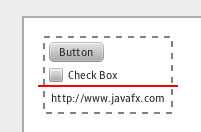
All the listed controls that have an appended asterisk are the new controls in SoMa. One may have noticed that the total number of built-in controls for JavaFX will double when SoMa is released. I have not taken into account the possibility that the unstable controls may triple the number when combined with the stable ones. The Separator control is a new addition to the SoMa controls line up.

What is currently unknown is what unstable controls will appear in SoMa. At present unstable controls could be placed in the com.javafx.preview.control package, which would make it easy to separate the unstable controls from the stable ones. This also means software developers can try out future controls sooner rather than waiting for the next JavaFX release. After all JavaFX's release policy is about regular releases with the chance for software developers to try out early access features, that help shape future releases involving the entire community.


API

Currently the biggest changes to the JavaFX API are with the upcoming TV support. One of the key API changes is the addition of TV keyboard and remote control support. CSS support will be widened to include additional CSS properties. Any class/mixin that is a Group will be able to automatically resize Resizable nodes to their preferred size during a layout pass. For performance metrics there is going to a PerformanceTracker API that can be used for both the Prism and Swing graphics rendering systems.

Other possible API changes are layout root functionality through unmanaged Parent nodes, use of third party native libraries with JavaFX Script, and a preview of drag n drop support.


General

If this is correct a beta version of SoMa has been released recently (as of 23rd Feb 2010) although it is not available publicly, and SoMa is in a feature freeze. Such news is good to hear considering the length of time it is taking to develop SoMa. Hopefully SoMa will not be released around the time of JavaOne in September, which shouldn't be the case provided there are no other major delays.

At the moment if things keeping chugging along at a reasonable pace with the development of SoMa (with the end in sight) there will be no need to think of this as another case of Duke Nukem Forever. Definition - an announced product that despite all reassurances that it is still alive and kicking ends up being cancelled in the end (takes forever to be released).

Prism appears to be a major inclusion in SoMa despite the impression that it wouldn't be included in time. Additional information has come to light about Prism with the fact that unlike Swing/Decora (the current rendering system) graphics rendering will be done through OpenGL for Desktop, and OpenGL ES for Mobile. Yet to be confirmed is if Prism will take advantage of the GPU for the graphics rendering instead of the CPU, and what Prism's relationship with Newt is.

With tooling it appears as though the JavaFX Authoring Tool will be available for Linux, and Prism will be utilised in the Authoring Tool. Currently there is a review going on with the redistribution of the JavaFX runtime. If the result of the review is favourable then this could mean standalone JavaFX applications can be done, as well as having the JavaFX runtime distributed with some of the major Linux distributions (eg Ubuntu).


Conclusion

Based on the current activity for JavaFX it is certainly moving forward. Nothing has been mentioned so far on what is happening with JavaFX Script and the mobile side of JavaFX. It is great to see that Prism is going to be included and that there will be a chance to try out preview controls early.

Now Oracle needs to reveal what is currently happening with JavaFX Mobile. This will become urgent since other major RIA players (Silverlight, Flash/Flex) have been making announcements about support for various mobile platforms. How is Oracle responding to this with JavaFX Mobile? What other mobile platforms (Android, Symbian, Blackberry) are going to be supported with JavaFX Mobile?

16 March 2010

Scripting In JavaFX Script

Scripting is all about direct/accessible programming that can be used to quickly create small to medium sized programs. When it comes to scripting it does not always mean a dynamic programming language has to be involved. Static languages like Scala can be treated as though they do provide programming in a scripting like way.

A static programming language could be used instead provided there is a program that can behave like an interpreter to handle the source files. Also the programming language must not impose any structural conditions (eg a class must be defined in the source file first) in order for a program to work. In the case of JavaFX Script one can include statements straight away in a fx file without having to define a class first, hence the script part of the name.

There is a class in the JavaFX API that can handle basic scripting in a limited way, which would act as a reasonable starting base for a basic JavaFX Script interpreter. The FXEvaluator class allows JavaFX Script source to be evaluated provided javafxc.jar is in the application's classpath. It should be noted however that the source is evaluated by FXEvaluator without any specified context. Therefore any state created created during the evaluation of the source cannot be used by other scripts.

Should JavaFX become fully open sourced, and have its own interpreter (to compliment the compiler) then it could have its own unique place with the major Linux distributions. Imagine JavaFX being bundled with future versions of Ubuntu for instance. JavaFX Script could secure its place in Linux by providing scripting for creating basic GUI applications since, the GUI support is built in, easy to create a GUI application with very few lines of code, and the programming language is very easy to pick up.

Currently no other scripting languages that are bundled with the major Linux distributions allow GUI applications to be easily created since they are designed to create console applications, hence the creation of GUI applications is an afterthought (done through extensions – eg libraries). Linux needs its own GUI scripting language, not one where GUI support is an afterthought. This could be a golden opportunity for JavaFX to significantly increase its rate of adoption, and have other people involved with improving the technology.

08 March 2010

JavaFX Composer Overview (Update)

Since the preview 2 release many changes have been made to JavaFX Composer. The majority of the changes are with the Data Source templates.


Changes Made

  • More properties exposed in the Properties window
  • Shapes, colours, effects are now available in the Palette window
  • HTTP Data Source now handles the HTTP Post method
  • JDBC Data Source now supports setting up CRUD instead of just reading from a DB table
  • When setting up animations one can now use an inherited state animation
  • Standard attribute names used for extracting data for each data source (in Data Source Customiser)
  • File Data Source now supports loading files from additional sources (local FS, resource from class path, storage using the Storage API)
  • Analyser added to identify design problems with a form

Improvements Needed

  • Remove irritating requirement to have an object selected first (in design pane) before having it moved, rotated, bring up an accompanying context menu etc
  • Display chart(s) in real time inside the design pane
  • When an event handler's name is renamed some refactoring needs to occur on every property that is affected by the change
  • Still there is no ability to add custom controls/nodes to the palette (absolutely essential)
  • Allow shapes to be visually resized/rotated/skewed inside the design pane
  • Display animations for affected objects inside the design pane (eg an animation preview like OO Impress)
  • Display all visual objects inside the design pane in real time based on their set properties
  • Provide facilities for easily creating custom controls (visual and non visual) in a visual way (eg wizards, templates in palette, design pane setup for designing a custom control)

In general the biggest improvement that needs to be made in the JavaFX Composer is to allow custom controls/nodes to be incorporated. Since JavaFX is designed to allow custom front ends to be developed why prevent people from using 3rd party content (eg controls, graphics)?

JavaFX composer doesn't stop custom graphics from being incorporated so why should custom controls be any different? After all JavaFX already has a standard system for developing custom controls (using MVC – Model/View/Controller), so it should be possible to use custom controls.