Showing posts with label Ubuntu. Show all posts

27 June 2012

Installing Ruby 1.9.3 In Ubuntu 12.04

Do note that the ruby1.9.1 package is for Ruby 1.9.3 (with Ubuntu 12.04). The version number at the end of the package name is for the ABI version of Ruby (1.9.1) that the package covers.

  1. Install ruby1.9.1 package for the Ruby language (also installs the libruby1.9.1 package that contains the standard Ruby library)
  2. Install ruby1.9.1-dev package in order to install gems that use native extensions

11 June 2012

Installing Rails 3.2.3 In Ubuntu 10.04

Ruby needs to be installed before installing Rails. It is highly recommended that Ruby 1.9.2 or greater is used.

  1. Install Rails as a Ruby Gem – gem install rails -v 3.2.3
  2. Add the following PPA as a package repository – ppa:chris-lea/node.js
  3. Install the required python-software-properties package
  4. Update the package manager
  5. Install the nodejs package
  6. Install sqlite3 package
  7. Install libsqlite3-dev package
  8. Install the sqlite3 gem – gem install sqlite3 -v 1.3.5


Notes


It is highly recommended that the Rails documentation is generated in order to have an offline Rails API reference. Do the following to create the API reference:

  1. In your home directory run this command – rails new sample_app
  2. Navigate to the newly created directory
  3. Run the following command to generate the documentation – rake doc:rails
  4. Move the generated documentation from doc/api to your Documents directory
  5. Rename the moved documentation directory to rails-3.2.3-api-doc
  6. In the rails-3.2.3-api-doc directory create a shortcut to index.html on your desktop, or view index.html in the web browser and bookmark it

27 May 2012

Installing Ruby 1.9.3 In Ubuntu 10.04

Prerequisites for installing Ruby 1.9.3 via RVM are that GIT and Curl is installed.


Installing RVM


  1. Download and run RVM install script - sudo bash -s stable < <(curl -s https://raw.github.com/wayneeseguin/rvm/master/binscripts/rvm-installer )
  2. Add all users who need to use Ruby to the RVM group
  3. Logout and login
  4. Update RVM so that the rvm command can be run - rvmsudo rvm get head
  5. Reload the terminal (shell) - source ~/.profile
  6. Test to see if RVM was installed and configured properly - type rvm | head -1
          Terminal should output the following, rvm is a function


Installing Ruby 1.9.3


  1. Install Ruby 1.9.3 – rvm install 1.9.3
  2. Set the default version of Ruby to use to 1.9.3 – rvm use 1.9.3
  3. Test to see if the Ruby interpreter runs with the correct version – ruby -v


Installing OpenSSL And Readline Packages


  1. Install libssl-dev Ubuntu package
  2. Install OpenSSL RVM package - rvm pkg install openssl
  3. Reinstall Ruby with OpenSSL support - rvm reinstall 1.9.3 --with-openssl-dir=$rvm_path/usr
  4. Install libreadline6-dev Ubuntu package
  5. Install Readline RVM package - rvm pkg install readline
  6. Reinstall Ruby with Readline support - rvm reinstall 1.9.3 --with-readline-dir=$rvm_path/usr


Notes


Before starting on the installation of RVM you may need to change a setting in Gnome Terminal if it is used. In Gnome Terminal goto Edit → Profile Preferences. Within the shown dialog select Title and Command tab. Ensure that Run command as login shell is checked.

11 May 2010

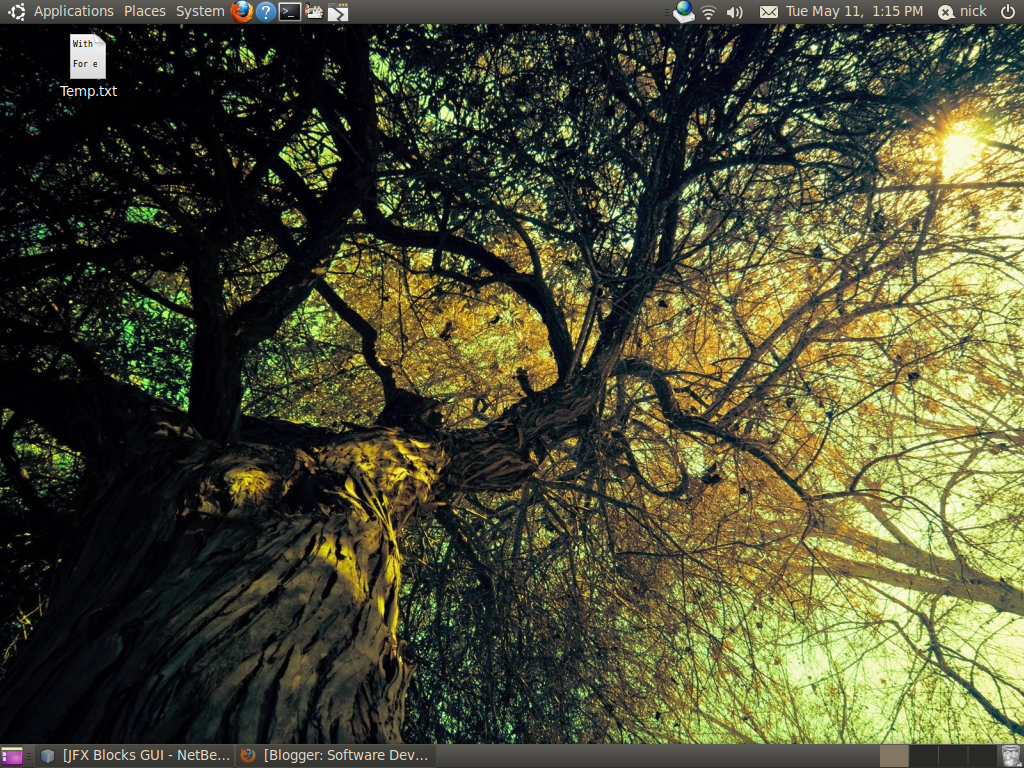
First Impressions Of Ubuntu 10.04

With the arrival of Ubuntu 10.04 LTS this is the most important Ubuntu release in years. LTS releases only come once every 2 years so a release like this can either make or break Ubuntu's reputation amongst users. I have decided to do a fresh install of Ubuntu in order to eliminate all problems that result from doing an upgrade, and to properly assess the Ubuntu experience.

For existing Ubuntu users the first thing you will notice when booting off the Ubuntu CD is that the live environment is started straight away. The existing CD menu is now hidden which means you will have to press a key before the CD loads into the live environment. There should be a text message that is displayed informing users that they can show additional options for the CD before it loads.

Once the live environment is loaded I found that the installer wouldn't startup (saw an error message). However when I manually started up the installer it worked fine. No major changes were made to the installer compared to previous versions of Ubuntu. Installation of the OS was quick and easy. With the first startup of Ubuntu 10.04 an error message appeared (on a black screen) which isn't a good look. Although it was not a critical error it shouldn't have been displayed at all. Canonical have had ample time to fix the issue since Ubuntu 8.04.

Last time I had done a fresh install of Ubuntu I had to battle with getting the display setup properly, which meant manually creating a configuration file, and playing Russian roulette with obtaining a working display. No user should ever have to endure this, luckily with 10.04 the display was properly setup which meant no more display headaches. Also for the first time with Ubuntu the highest resolution was selected which is a big plus, and there was no need to edit/create a configuration file. An additional bonus was the fact that desktop effects worked properly for the first time after I had installed the Nvidia driver.

Setting up wireless networking and the printer was a breeze, which meant I could start printing some documents straight away. As for sound there are still some serious performance issues which should have been addressed after the release of Ubuntu 9.10. The last Ubuntu LTS release (8.04) didn't have these issues at all despite using the Pulse Audio system for sound. Canonical will need to address the sound basics urgently if it wishes to get musicians/sound professionals on board.

Performance has been greatly improved with very quick startup and shutdown times. On the downside with my PC I experienced slow logins which appeared to be frozen for a moment even though they weren't. A new look 'n feel has been used which makes it easier to see what windows/applications are selected, easier to read text, and more visually appealing. However the window buttons have been moved to left hand side which is a very bad design decision considering existing users, which are used to seeing the buttons on the right.

For some reason the keyboard shortcuts are no longer displayed which is another very bad design decision. Once again Canonical are not considering their existing users. Remember it is much cheaper to retain existing users rather than attract new ones. As for applications Gimp has been replaced with Open Office Draw and a basic video editor has been added (called Pitivi). What is missing now is a basic backup application.

The Ubuntu Software Centre has been enhanced with the ability to see software provided by Ubuntu, or from Canonical's partners. Some software categories now have sub categories and installation of software is more accessible. Social networking features have been integrated into Ubuntu which is a first for an OS. Although social networking is not of particular interest to me other users will greatly benefit from have social networking done in a single place.

Overall Canonical have done a reasonably good job with the current Ubuntu release but clearly have a bit of work to do with sound and login performance, startup presentation, and the look 'n feel. It is quite clear that this a benchmark Ubuntu release which will really attract new users, however existing users are being left a bit neglected by Canonical.

09 November 2009

First Impressions Of Ubuntu 9.10

Lately you might have noticed that I haven't made a post for quite some time. The reason for the delay is because of some mysterious display problems with the previous version of Ubuntu (8.04 LTS) that I used. Eventually the problems reached a point where the OS had to be reinstalled, and it was a great opportunity to make a clean install of Ubuntu 9.10. After all with the glowing reviews of the OS hitting the web I thought that it would be reasonably smooth sailing with getting the current version of Ubuntu installed.


Display Woes

Smooth sailing wasn't to be the case with the live CD failing to display anything at all. In order to get something displayed the resolution was changed through the use of two keyboard shortcuts (Ctrl+Alt++, Ctrl+Alt+-). Normally most people (non technical) would give up at this point so Ubuntu was not making a good impression so far. At that point the installer could then be started.

Luckily the install went very smoothly and after a reboot everything seemed to be going fine until.... more problems occurred. Once EnvyNG (video driver management for ATI and NVidia video cards) was installed I had tried to run it but to no avail. It turns out that one has to install the envyng-qt package since envyng-gtk is broken. After a reboot the display was showing the CLI login prompt which was flickering for some strange reason.

When I tried entering in the username no characters were being displayed at all. This happened to be one of the most irritating parts of installing and setting up Ubuntu since many people (who have an ATI or NVidia video card) were having the exact same issue, and it took a long time to resolve (a matter of hours). Even worse was the fact that the Nvidia driver package is currently broken thus there is no GUI login being displayed.

Once the NVidia drivers were installed using the version supplied on the official NVidia website some progress was finally being made. Not all the display issues had been resolved yet since not all of the resolutions were being picked up properly. This part took the longest amount of time to resolve through trial and error with editing /etc/X11/xorg.conf. In my case I had eventually reached the point where I had to put up with the resolutions that the NVidia driver had picked up. Luckily after commenting out the "HorizSync" and "VertRefresh" lines in the monitor section, and logging in again all of the resolutions were then picked up properly.


What Is New And Different
  • Many packages in the Ubuntu repositories have been updated including NetBeans, and the Sun JRE (Java runtime)
  • Firefox is now at version 3.5.4
  • Open Office is now at version 3.1.1
  • Gnome is now at version 2.28.1
  • Vastly improved general performance (start up times are so quick that they rival the Hibernate mode)
  • The new Palimpsest Disk Utility 2.28.0 has been included, more details to follow
  • Introduction of the new Ubuntu One service, more details to follow
  • Default option to use the new ext4 file system when partitioning
  • Linux kernel is now at version 2.6.31-14

What is most notable about the current Ubuntu release is the introduction of the brand new Ubuntu One service. Ubuntu One allows contacts, notes, and files (2GB free storage) to be synchronised with one or more Ubuntu (9.10 or later) PCs. Initially when I logged into the service (via Firefox) a message was displayed saying there was a version mismatch with the server. An OS update quickly resolved the problem with updating the Ubuntu One desktop client to handle the current server.

I would advise anyone who is using Ubuntu One on Ubuntu to use Nautilus (file browser) when uploading a batch of files, since the web client is slow and produces errors every time a file is uploaded. With the desktop client you can add directories and files to the Ubuntu One directory. For example with the joe user this is located in "/home/joe/Ubuntu One". Every time you add or remove a directory and/or file the client automatically synchronises the changes whenever your computer is connected with the service.


Another notable change in Ubuntu is the new Palimpsest Disk Utility. Palimpest manages disk partitions, and provides very handy diagnostic information on partitions and all storage devices. It is absolutely amazing what you can find out using this handy utility. For example one can find out about the current airflow temperature for a particular storage device, and can see what the normal temperature is supposed to be. Also Palimpest automatically notifies the OS if there are any major problems, and can perform some tests on the user's behalf for a particular storage device.


One other major change is the brand new refreshing Ubuntu look. This look reminds me of the JavaFX look, classy, legible, and visually appealing which doesn't take up too much screen real estate (netbook friendly).


Lastly Ubuntu's Add Software has been replaced with the new Ubuntu Software Center. When using the software center you can no longer install/uninstall a group of software at once, and more details are provided for each piece of software (including a screenshot, package name and version etc). Installation and uninstallation of software is now handled in the same window used to browse software, and one can swap between "Get Free Software" and "Installed Software" tabs with navigation being remembered with "Get Free Software".


Current Issues


Sound performance in my case is much worse than in Ubuntu 8.04. There is a very noticeable sound lag (consistent) which wasn't present before. Hopefully this will be resolved in the next batch of OS updates. Wireless networking is now a bit of hit or miss. It used to be in Ubuntu 8.04 that if the IP address was not picked up through DHCP the first time, then the second attempt would always pick up an address. However with Ubuntu 9.10 I usually have to restart the wireless router in order for an IP address to be obtained properly. Again the next batch of OS updates should resolve this.


Conclusion

For people who have an ATI or NVidia video card in their machine, and are currently thinking of installing Ubuntu 9.10 are advised to hold off until Ubuntu 10.04 LTS arrives. The reason for this is because 10.04 is a long term support release which is supposed to be much more robust for hardware support, and OS stability. If your machine contains an Intel video card then 9.10 is for you since many improvements have been made with supporting Intel video cards out of the box.